Accurate spraying is essential for consistent weed control. Calibration of the spray modules should be performed when:
- You have received a new AX-1.
- A spray module has been replaced.
- This includes new spray modules and when spray modules are moved from one AX-1 to another.
- The AX-1 has been updated to version 26.09.0.
- The speed sensor or the height sensors have been recalibrated
- If you notice that a spray module is not hitting the correct spot.
1. Prepare Your Workspace
-
Use a flat, preferably dry surface: Packed soil, a piece of cardboard or similar even area.
- Important: There cannot be any wind when doing the calibration. Doing this indoors is therefore recommended.
- Make sure you have at least 4 meters of free space in front of the AX-1.
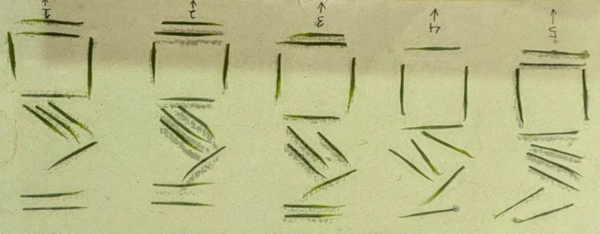
- Gather some green, elongated leaves or plants (e.g., grass) that you can lay out horizontally, vertically, and diagonally to the robot's path. Place the leaves at least 2 meters in front of your AX-1 (4 meters or more is recommended), and align them so that all the spray modules will pass leaves. The picture below illustrates this.
2. Prepare AX-1 and Run the Calibration Steps
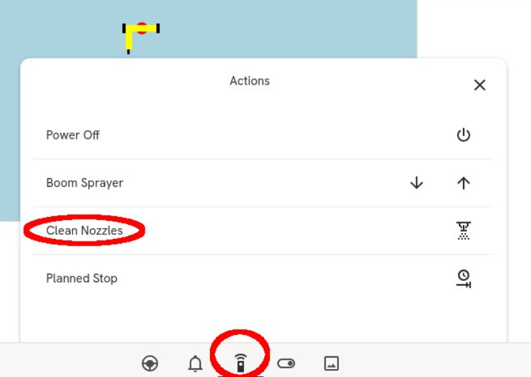
- Unless your AX-1 has been spraying within the last hour, the nozzles should be prepared by performing a cleaning operation – Clean Nozzles. This is in the Actions menu.
- Adjust the height of the boom to 15 cm and lock it at that height. The easiest way of doing this is to turn on the boom controller, let it adjust itself to 15 cm, and then turn the boom controller off.
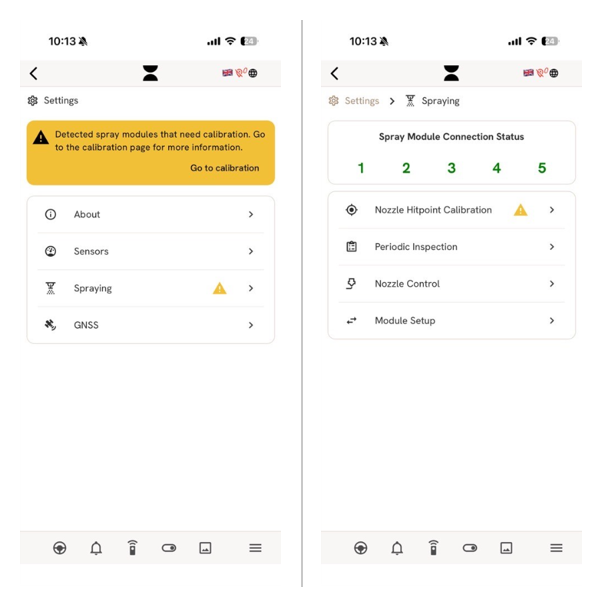
- Open Settings in the side-menu. Then select Spraying > Nozzle Hitpoint Calibration.
- The first window prompts the final preparations. Unless you are calibrating the spray modules on a field with an actual crop, select Fejka as the classifier. Then select Continue to proceed to the calibration menu.
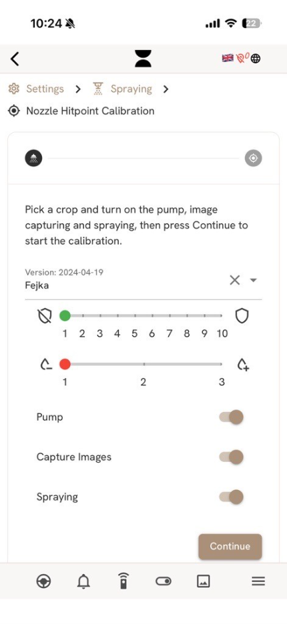
3. Perform a Test Spray
- Enter Control Panel in the horizontal menu.
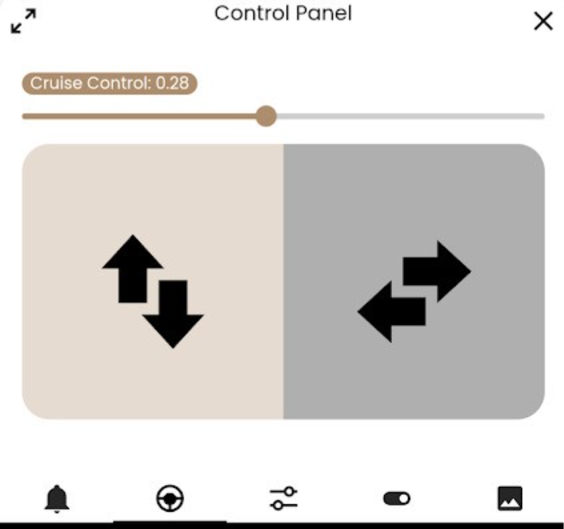
- Either manually or with the cruise control, drive the AX-1 forward at a speed of close to 0.3 m/s as possible over the leaves you have laid out.
- As soon as the spray modules have passed over the leaves, stop the AX-1 and inspect the spraying result.
- You should look at the spraying from each spray module individually. If you observe droplets missing the target, like in the example below, you need to calibrate the hitpoint. In the calibration menu, shown below on the right, select the spray module you want to calibrate in the dropdown menu. The current droplet hitpoint, represented by a red crosshair in the right picture below, can be moved around with the arrow buttons.
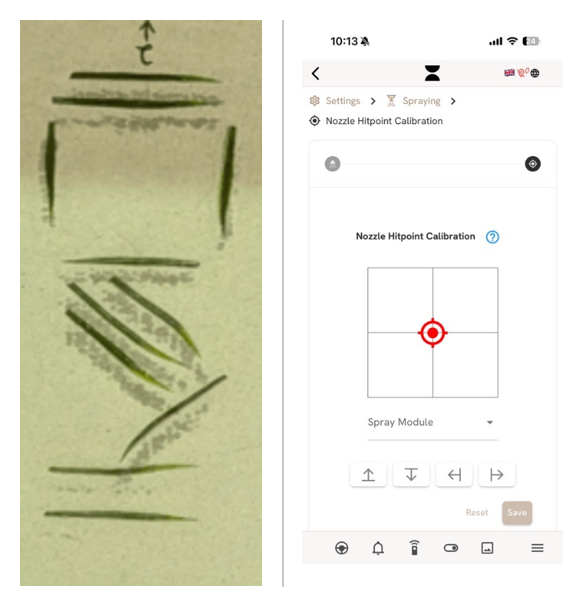
- One click on an arrow button will shift the droplets a small step in that direction. In the example above, the hitpoint should be shifted upwards.
- After you have adjusted the hitpoint, it is important that you press Save, before moving on to the next spray module. When all of them have been adjusted, perform a new test spray to verify the calibration (step 1 of this section). Do this until all droplets hit correctly, and then you are done.
Note:
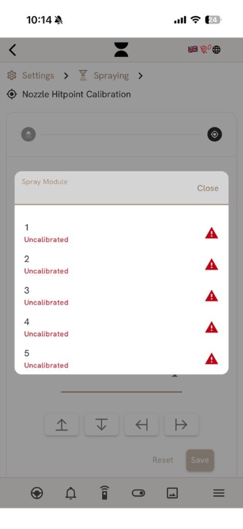
In some cases, the application will detect spray modules that need to be calibrated. In the calibration menu, they will be marked with Uncalibrated as shown in the image on the right. When performing the spray test, you might experience that some spray modules are spraying perfectly and do not need any calibration. If this is the case, select the spray module and press Save without making any adjustments. This will confirm that the spray module has been tested, and remove the Uncalibrated mark.