
Before you can start using your AX-1, you'll need three things in place: the Kilter Remote app, a Kilter user account, and your robot linked to that account. This guide walks you through downloading the app and creating your account — the first steps to getting up and running with Kilter.
Download Kilter Remote
Download the Kilter Remote app to your phone or tablet:
Create your Kilter user
You need a Kilter account to use the machine and plan its operations. You can create one in two ways:
- In Kilter Remote: Open the app, then choose "Create account".
- In Kilter Farm: Sign up directly at farm.kiltersystems.com.
Either method works, choose whichever is most convenient.
- Enter your e-mail address.
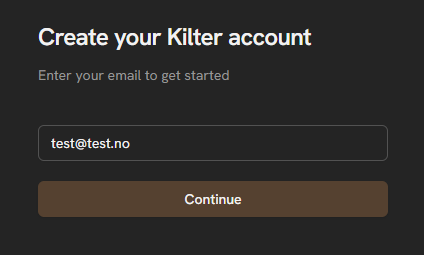
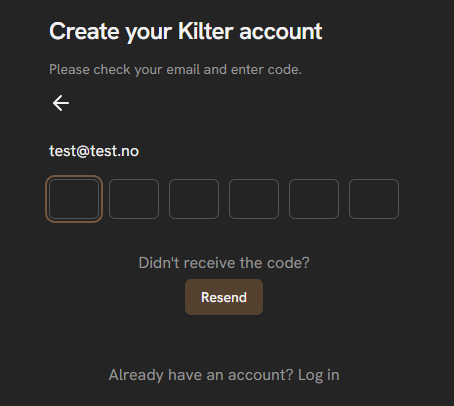
- Enter the code that is sent to your e-mail address.
- Fill in your name, phone number and make a unique password. Then click "Create account".
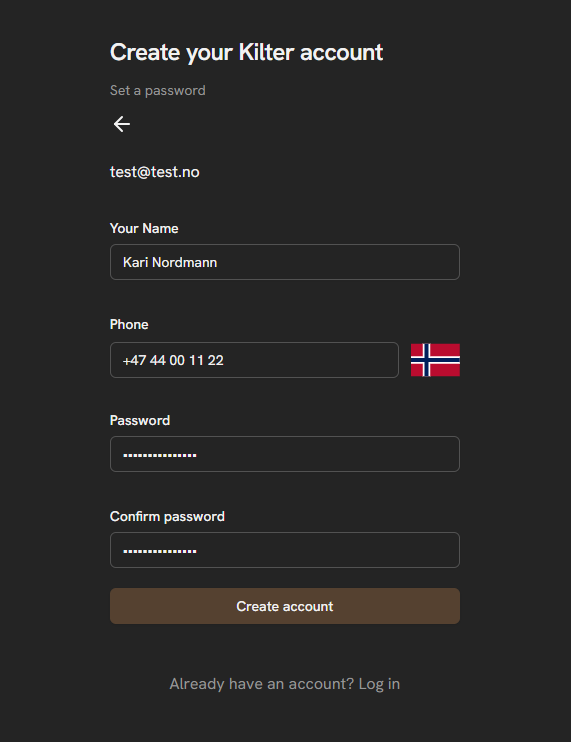
After creating your account, you will be asked to create an organization in Kilter Farm. See our detailed guide on Getting Started with Kilter Farm.