Suggested procedure
- Begin immediately when the seedlings sprout, or when the plants are transplanted to the field.
- Collect data every twice a week the first two weeks, then once a week until harvest or the plants are too big to treat (~20cm).
- Collect data for around 20 minutes each time.
- Don't collect everything in the same place, nor at the same time of day.
- Make sure there are at least some weed plants in the field.
- We recommend contacting Kilter after you finish to ensure that the data has reached our data base.
Rules of thumb
- Collect data in all relevant growth phases.
- Usually this means from seedling until the plant is tall enough to brush the nozzles (~20cm)
- Capture as much variety as possible in plants and conditions
- Variation in weather, soil, weed cover, plant conditions etc. NB! The camera trolley is not completely waterproof.
- Collect data in as many different fields as possible
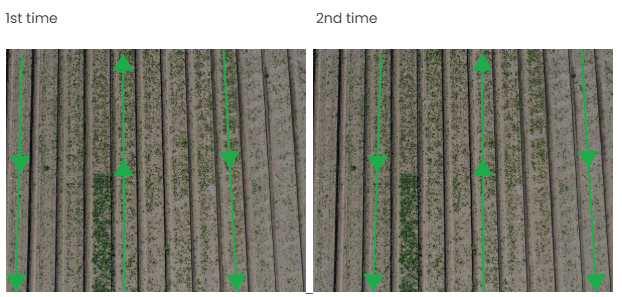
- When collecting in a single field, you don't have to cover the entire field, 2 or 4 rows evenly spread across the field is a good choice.
- If a part of the field looks different from the rest, include it.
- If the weed cover is very light due to existing treatment methods, consider leaving at least a part of the field untreated.
- More is better, but don't overdo it
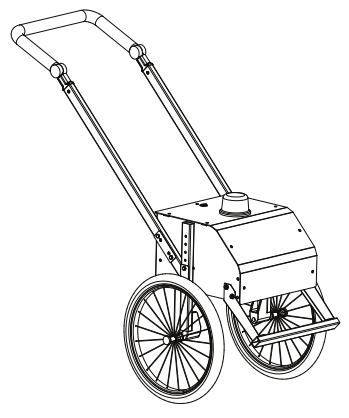
- Around 20 minutes / 4 rows with a camera trolley or around half that with a robot in data collection mode is enough for a single field in a single day.
Example of a collection procedure in field
Examples of common conditions to capture
Variation is the key to success. Only by seeing a plant in many different configurations and circumstances will the model learn the essence of how to distinguish that plant from others.
These are some common sources of variation in a vegetable field which are relevant to the AX-1. Not all conditions are strictly required, and not all kinds of variation is covered in this list. But the more variation is included in the data, the better the AX-1 will handle not only the cases covered, but also new sources of variation.
| Crop plants | Seedlings | First true leaf | Late season |
| Weed plants |
Heavy cover | Light Cover | Large plants |
| Weather | Sunny | Overcast | After rain |
| Ground |
Dead plants | Soil discoloring | Sand |
| Time of day | Morning | Afternoon | After dark |
| Diseases |
Fungus | Tip burn | Physical damage |
Using the robot for data collection
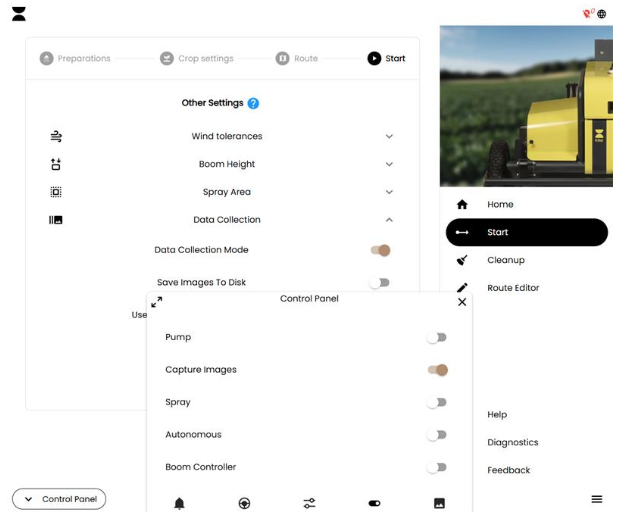
In order to use the robot for data collection, simply activate "Data collection mode" in the final pane of the Start menu as well as "Capture images" in the control panel. Then either run the robot autonomously on an uploaded track (make sure spraying is turned off), or drive manually with the control panel joystick.
Activate data collection mode to increase data upload frequency: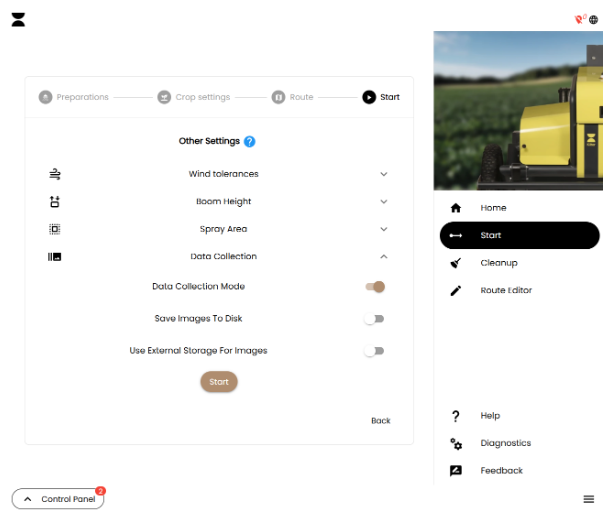
Activate capture images before driving and ensure that the cameras are flashing.
Using the camera trolley for data collection
Make sure you have download the Kilter Remote app from Apple App Store or Google Play.
- Scan the code and follow the link to register your organisation as operator
of the camera trolley.
- Log in with your Kilter account
- If you do not have a Kilter account you will need to create one
Note: Don’t create a new organisation if your organisation already is registered. Ask
your administrator to invite you. - Open the app and log in with your account
4. Tap the trolley in your equipment list
5. Tap connect
6. After successfully connected, wait until GPS signal is ready, press play to
start collecting data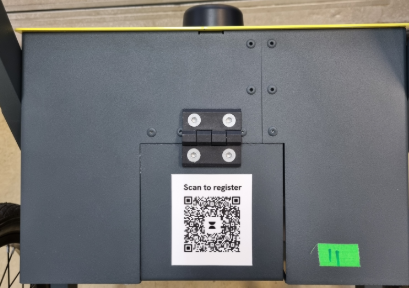
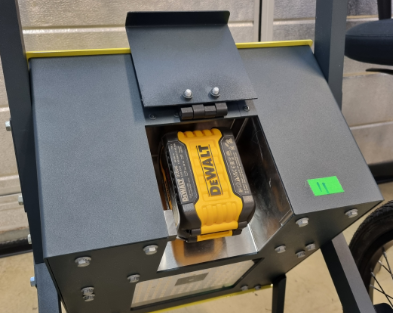
- Open the hinge with the QR-code and attach the DeWalt battery.
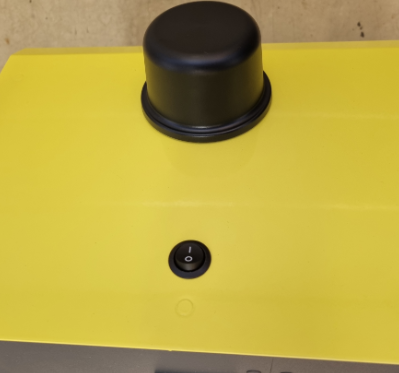
- Turn the trolley on by flipping the on/off switch.
- Open the Kilter Remote App on your phone and find the new device, press connect.
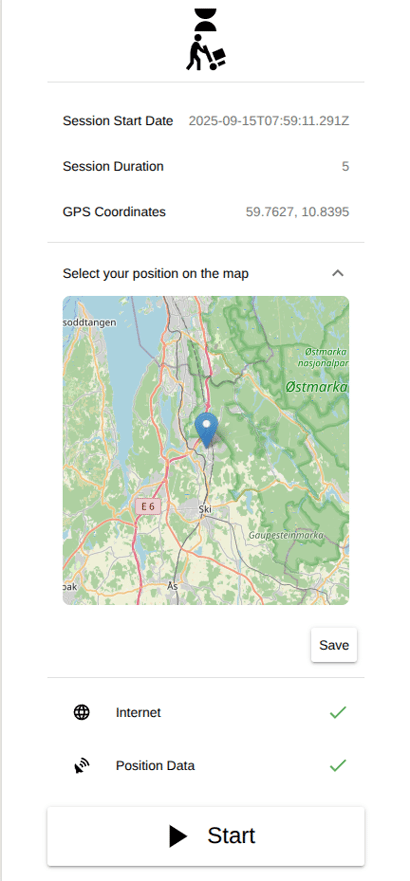
- After the Internet and GPS Fix requirements are met, the trolley is ready to capture images. Depending on the quality of the network and GPS coverage this can take a moment. Alternatively it is also possible to manually select the position of your field on the map and press "Save".
- Start a new session by pressing the Start button. Press Stop to stop the image capturing. If you intend to collect data from multiple cultures consecutively remember to stop the image capturing when moving between fields. Please avoid capturing images when not in the field.
Turn off
- Turn the device off by switching the on/off button off.
- Remove the battery when the camera trolley is not in use for a prolonged time.
- Recharge the battery when necessary.
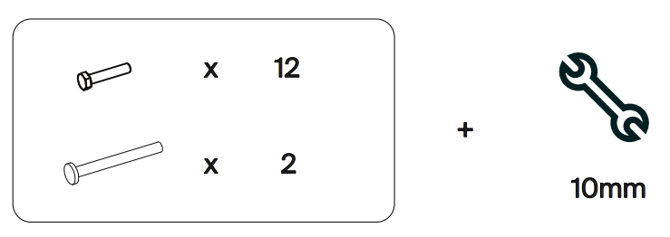
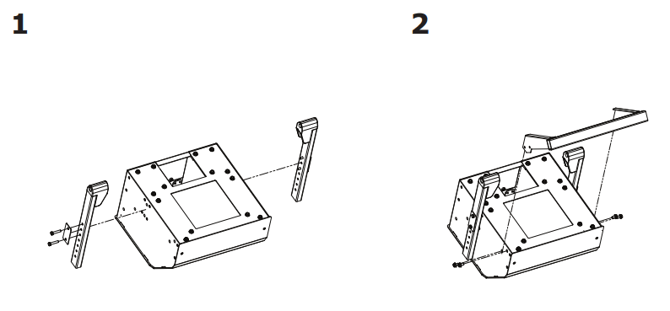
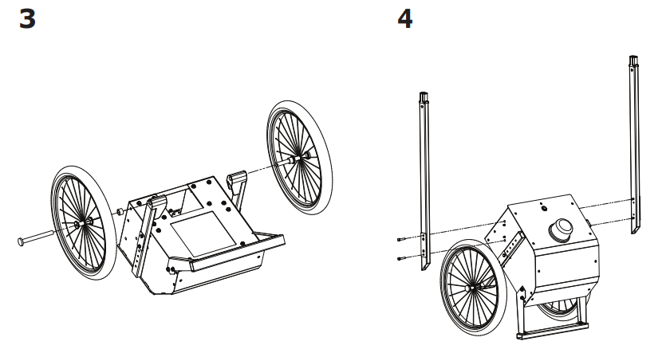
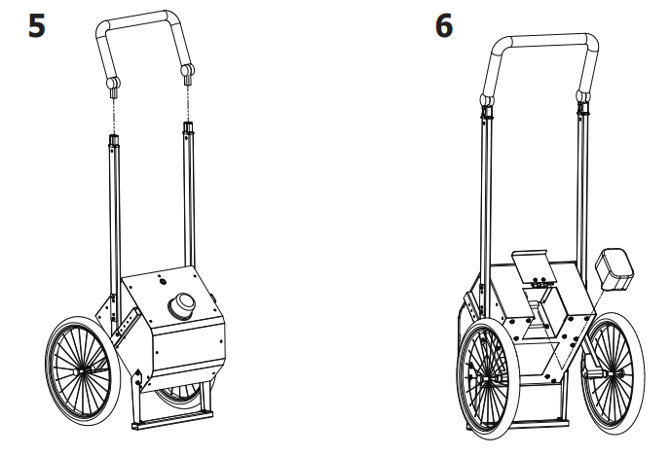
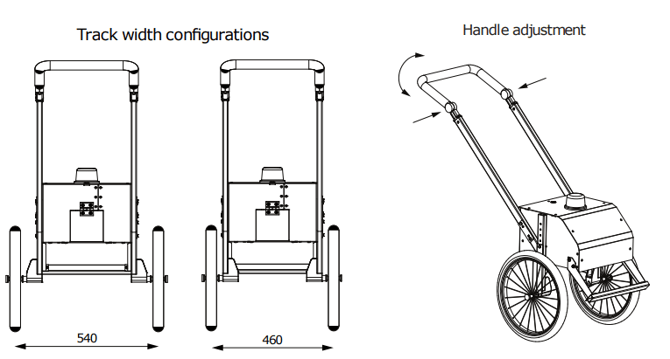
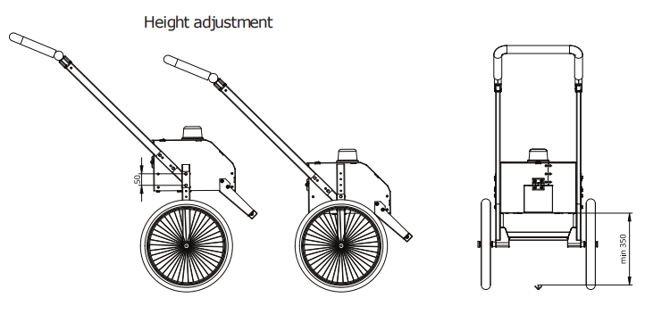
Assembly and adjustments of the camera trolley