![kilterlogo big_big.png]](https://learn.kiltersystems.com/hs-fs/hubfs/kilterlogo%20big_big.png?height=40&name=kilterlogo%20big_big.png)
Please refer to the machine configuration for information on available wheel/track widths.
The wheel/track width is adjusted by the use of spacers as described on the machine configurations page.
When adjusting the wheel width of the AX-1, the robot must be lifted slightly from the ground, as it cannot rest on its wheels while changing spacers.
Warning: the machine is heavy and does not have a centre of gravity in its geometrical centre, the machine is prone to tilting. Take neccessary precautions to avoid injury!
Note: When unscrewing the left wheel frame, make sure that the robot doesn’t tilt backwards, as it now no longer has any support from the back wheel.
Recommended procedure for change of spacers: Using a table-jack to lift one side at a time.
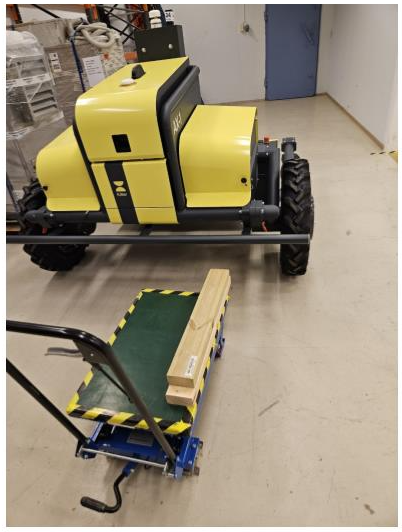
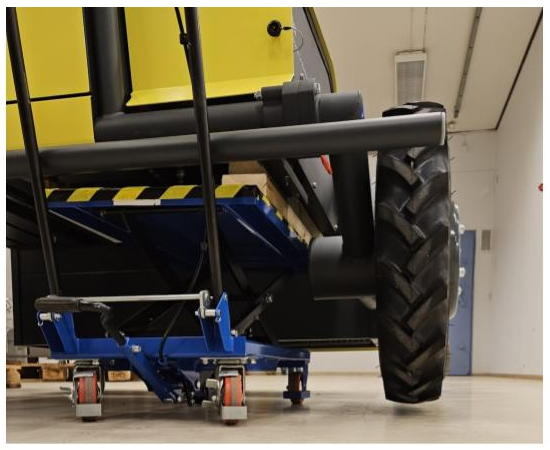
The below image shows an example of how a table-jack is used to lift one side of the robot at a time. Here planks are used on a jack trolley to lift the robot without having to remove the bumper.
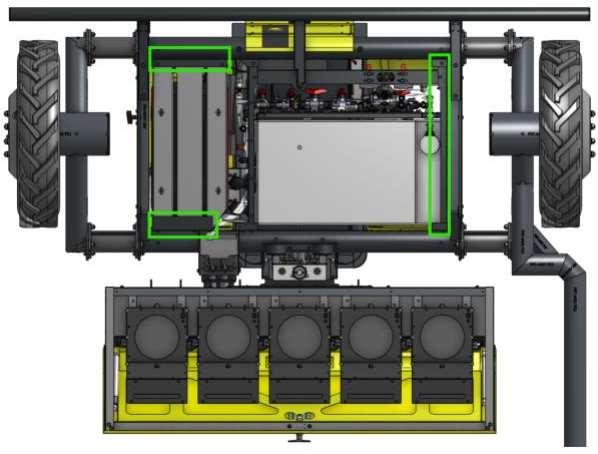
The green rectangles shows where you can apply force without damaging the robot. Make sure to apply force only to the marked brackets and/or frame, and not to the tank or any other components.
In order to secure stability and avoid slipping the planks should be longer than the indicated green rectangles.
Alternative procedure for change of spacers: Using lifting straps to lift the whole robot at once
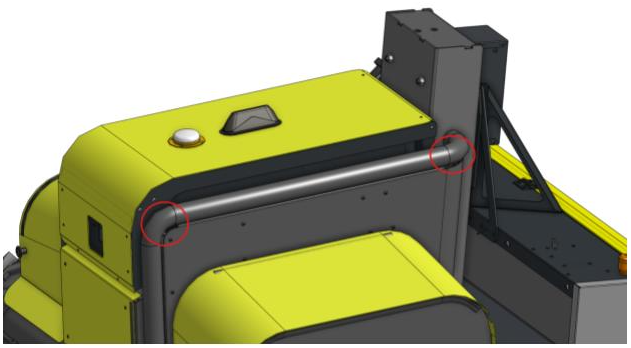
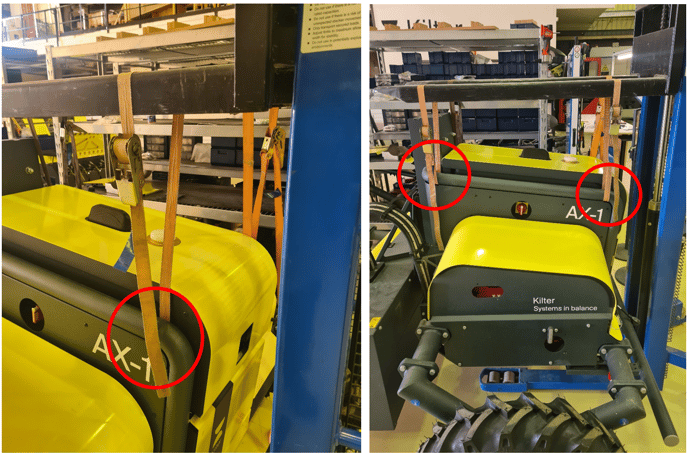
Place straps around the frame at the two locations shown in the figure below, and the same two locations on the other side. With straps around the frame at these four locations, you can use a tractor, a forklift, a crane, or similar to lift the robot. Remember to only lift the robot so that the wheels barely loose contact with the ground. Note: The gap between the frame and the cover is relatively narrow, so the strap can’t be too thick, nor have a hook.
Before doing any work the robot must be secured with suitable blocks below the main frame tubes.
General information
Use two 17 mm wrenches (one of them preferably a ratcheting wrench) or similar to unscrew the bolts/nuts.
If there is only one person working on the robot, we recommend removing the main wheel, due to the heavy weight of the side frame and wheels.
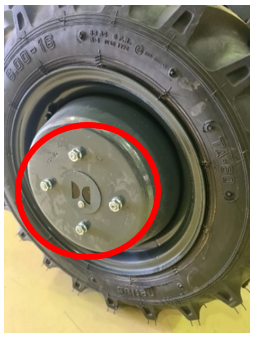
Use a size 10mm spanner to loosen the logo cover and 19mm pipe to loosen the bolts.
Make sure you have the right bolt ready to be able to attach the side frame again, while adjusting with the new spacer. The new spacer must be attached with the associated M10 bolts and nuts. 16/17mm pipe/wrench.
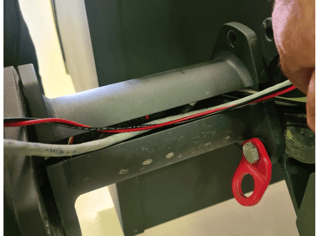
Note: There are wires going from the robot to the wheel via the frame and the spacers. When the wheel frame is detached, make sure not to put any pull/tension on the wires. Let the wheel frame rest close to the robot while swapping spacers.
Be careful not to pinch the cables inside the tube frame when tightening the bolts.
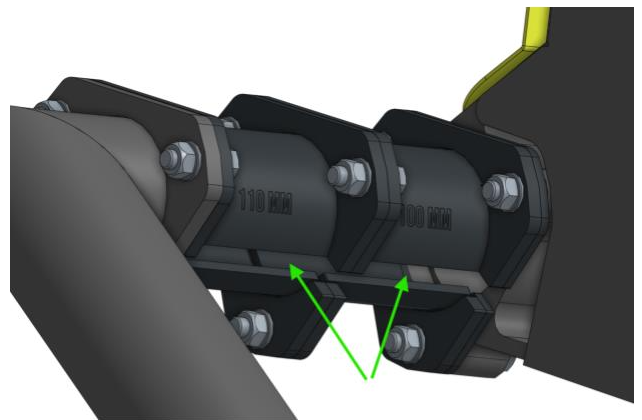
The spacers must be rotated so that the cable routing slot points inwards, toward the robot.
Excess cables can be pushed back inside the robot frame.
There are slots in the spacers, that the wires can slide out of when swapping spacers.
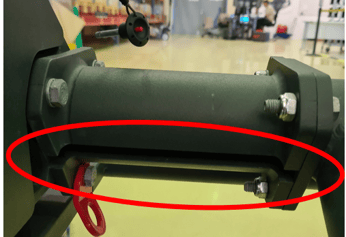
The bolts connecting the spacers and the frame must be tightened with XX Nm. (until they feel tight)