
Agreements in Kilter Farm
You can view and sign agreements for your profile under 'Agreements' in Kilter Farm. This section lists the agreements that apply to your profile, such as the Terms of Use, and more agreements will be added over time.
To see signed and unsigned agreements for your profile:
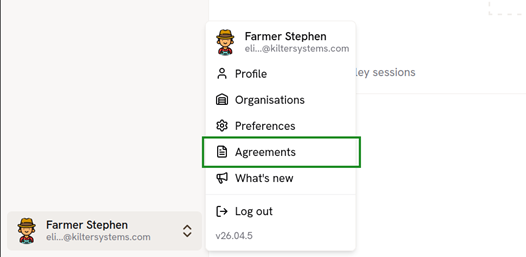
Open your profile in Kilter Farm and click ‘Agreements’ to see the list of agreements that apply to your user. For any agreement you have already signed, click ‘View’ to read it again:
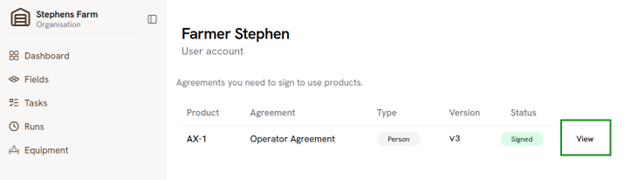
If there is a new version of an agreement, you will have the option to view and sign it here
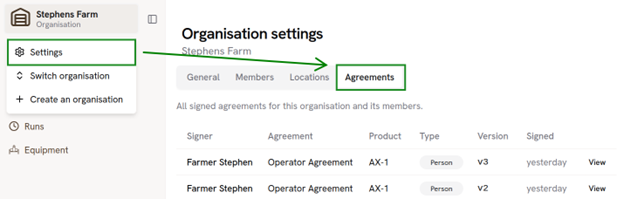
Administrators can see all agreements related to their organization
Administrators can see all agreements related to their organization by going to organization settings and selecting 'Agreements':
Agreements in Kilter Remote
When you connect to the robot in Kilter Remote, you are prompted to sign the latest Terms of Use if you have not already done so. The video below shows this step:
https://vimeo.com/1184703641/5db58ea681?share=copy&fl=sv&fe=ci
After you sign the latest Terms of Use, the connect screen returns to its usual view and you can connect to the robot.